Developer Guide
The main philosophy of the package is to be able to reuse and / or extend all the models. To achieve this it is important to know that all UML classes are defined as abstract models in django and for instanciating a working model would must be as easy as inherit abstract models only.
Basic concepts
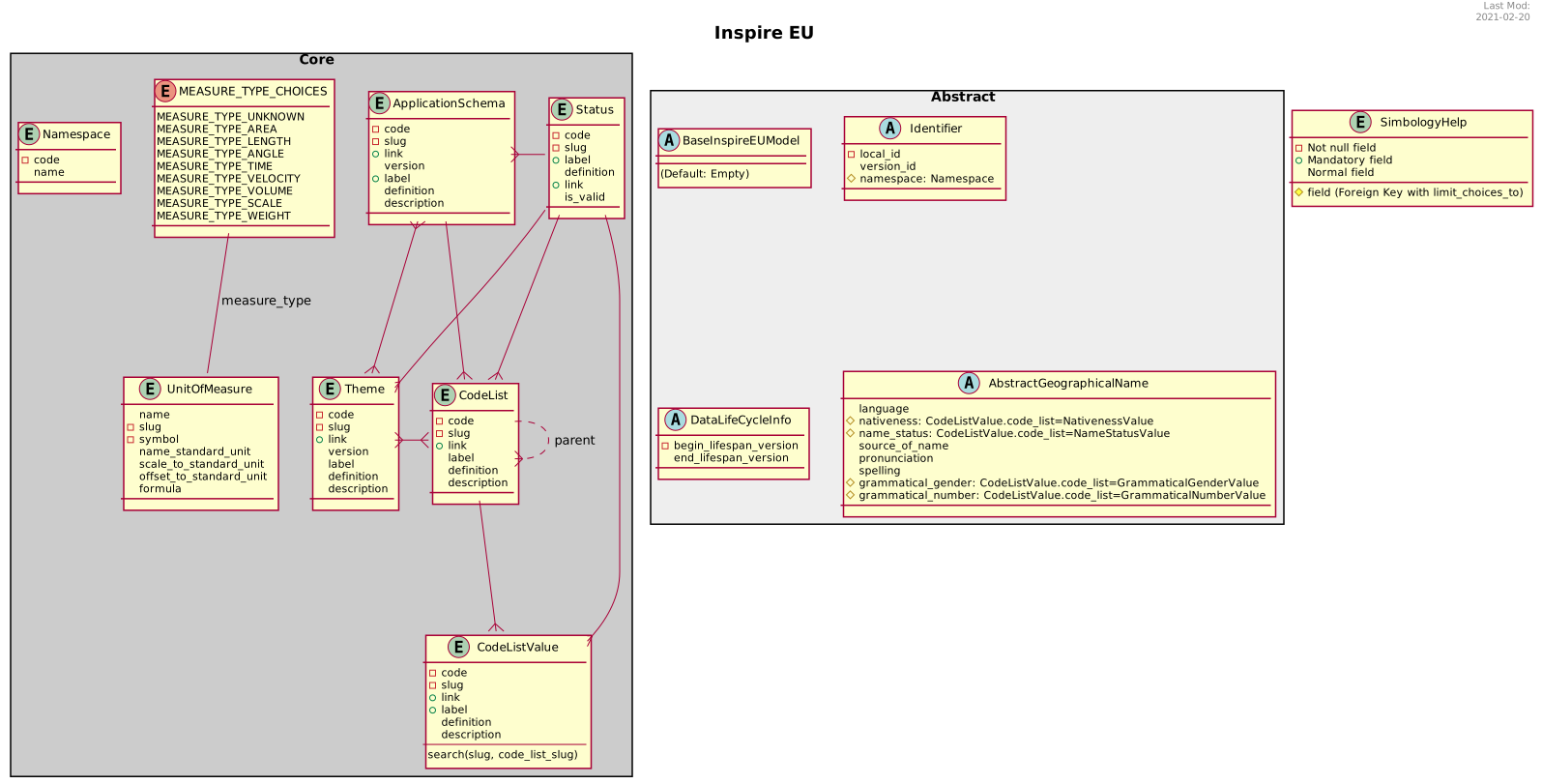
Customizating an existing theme
Following the above philosophy you can easily create/customize an existing theme.
If you want extend some fields in a particular model:
Django Inspire EU |
My Awesome Project |
inspire_eu.settings.pyINSPIRE_EU_THEMES = {
# ...
"cadastral_parcels": True,
"buildings": True,
# ...
}
|
my_awesome_proect.settings.py INSPIRE_EU_THEMES = {
# ...
"cadastral_parcels": False,
"buildings": True,
# ...
}
|
inspire_eu.cadastral_parcels.models.__init.py__if INSPIRE_EU_THEMES.get("cadastral_parcels"):
from .abstract import AbstractCadastralZoning
from .abstract import AbstractCadastralParcel
class CadastralZoning(AbstractCadastralZoning,
models.Model)
pass
class CadastralParcel(AbstractCadastralParcel,
models.Model):
cadastral_zoning = models.ForeignKey(
CadastralZoning, on_delete=models.PROTECT,
blank=True, null=True
)
|
my_awesome_app.models.__init.py__from inspire_eu.models.abstract import (
AbstractCadastralZoning, AbstractCadastralParcel
)
class AbstractCity(models.Model):
city = models.CharField(max_length=64)
class Meta:
abstract = True
class CadastralZoning(AbstractCadastralZoning,
AbstractCity,
models.Model):
pass
class AnotherExample(AbstractCadastralParcel,
AbstractCity,
models.Model):
country = models.CharField(max_length=64)
|
Result:
|
Creating a new theme
Hint
To program a new theme you can see how the previous ones are made, even start doing copy & paste
Define all django models as abstract, in a new python module called
abstract.pyCreate a new entry in
settings.INSPIRE_EU_THEMESwith the default valueTrueIn the
__init__.pyinstantiate it -or not- depending on the value of the previous keyCheck it out the
inspire_eu.admin.__init__.pyand add the new ones.